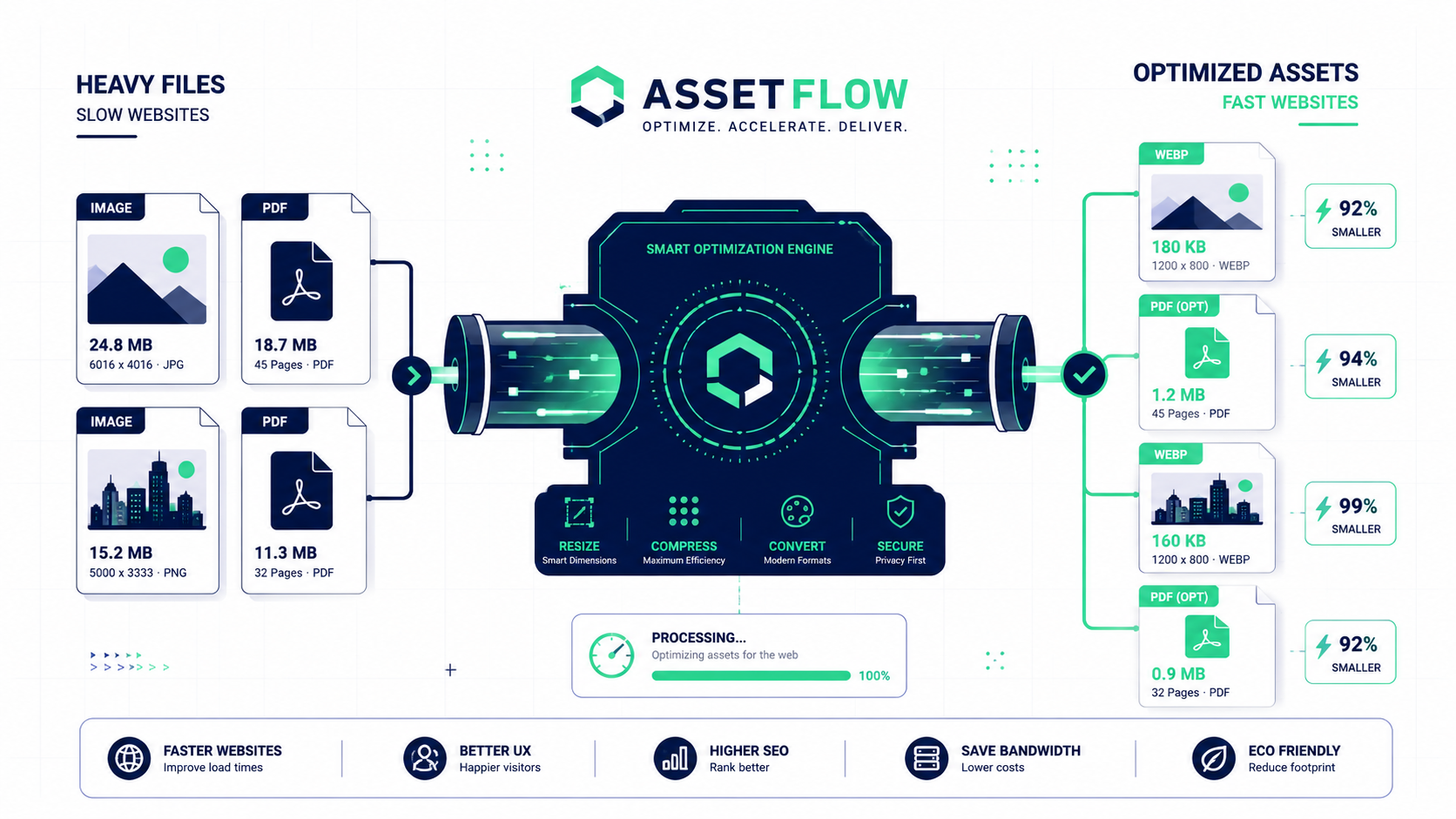
In 2025, website speed isn't just a feature it's a necessity. With user attention spans shorter than ever and search engines like Google prioritizing fast-loading sites (hello, Core Web Vitals!), a slow website can be a death sentence for your traffic and conversions. The number one culprit for a slow site? Unoptimized, oversized images.
The good news is that image optimization is one of the easiest and most impactful ways to boost your site's performance. This guide will walk you through the essential techniques you need to know in 2025 to make your website faster and more professional.
Key Techniques for Image Optimization in 2025
1. Choose the Right Format (WEBP is King)
While JPGs are great for photos and PNGs are perfect for graphics with transparency, the modern standard for the web is WEBP. This next-gen format, developed by Google, offers significantly smaller file sizes than both JPG and PNG at comparable quality, and it supports transparency. In 2025, serving WEBP images is a key advantage.
2. Compress Your Images (Without Losing Quality)
This is the most critical step. Image compression intelligently removes unnecessary data from your image files to drastically reduce their size. A good compression tool can shrink an image by over 70% with little to no noticeable difference to the human eye.
3. Resize Images to the Correct Dimensions
Never use a massive 4000px wide photo in a space that's only 800px wide. Your browser has to load the full, oversized image and then shrink it, wasting bandwidth and time. Always resize your images to the maximum dimensions they will be displayed at on your site before you upload them.
4. Implement Lazy Loading
Lazy loading is a technique where images below the fold (outside the visible part of the screen) are not loaded until the user scrolls down to them. This dramatically speeds up the initial page load. Most modern website platforms (like WordPress) and frameworks do this automatically now, but it's a crucial concept to be aware of.
The Goal: Aim for all your main page images to be under 200KB. For full screen background images, try to stay under 500KB.
Optimize Your Images in Clicks, Not Hours
Our suite of free image tools makes optimization easy. Use our Image Compressor to drastically reduce file sizes and our Image Resizer to get the perfect dimensions. For modern performance, our Image Converter can switch your files to the speedy WEBP format.
Conclusion
Web image optimization is no longer optional. It's a core component of building a successful, user-friendly website. By choosing the right formats, compressing effectively, and resizing properly, you can provide a lightning-fast experience that will delight your visitors and be rewarded by search engines.