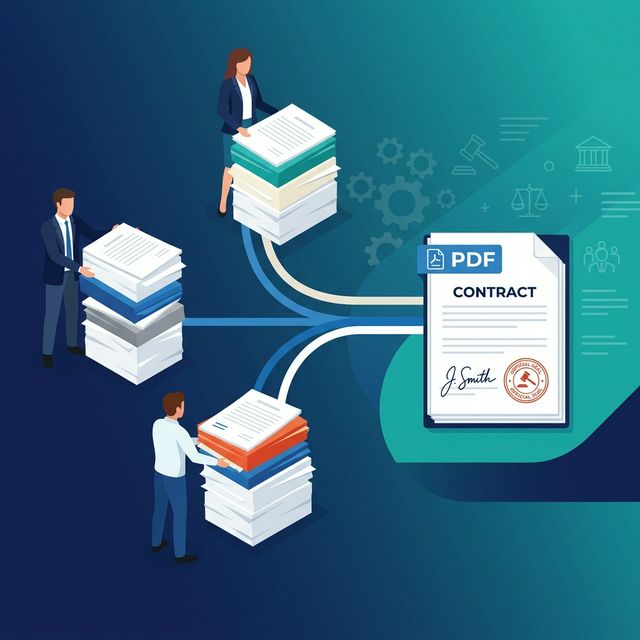
Single-party contracts are straightforward: two parties agree, both sign, and you’re done. Multi-party agreements are a different story. When you have a landlord, a tenant, a guarantor, and a property manager all involved, document preparation can often take longer than the actual negotiation.
This guide addresses the specific challenges of multi-party contract prep. We will cover how to structure your document package, how to maintain consistent page numbering across different signers, and how to deliver the right sections to the right people without the usual confusion.
Why Multi-Party Documents Need Extra Care
Delays in multi-party signings are rarely about the legal content. Usually, they are caused by structure issues:
- Selective Sections: Different parties often only need to see or sign specific schedules. Sending the full 100-page stack to everyone creates unnecessary confusion.
- Numbering Conflicts: If Party A and Party B have different page numbers in their extracts, your 'source of truth' disappears during late-stage discussions.
- Version Control: Scattered files make it incredibly difficult to ensure every party is signing the most current version of the agreement.
The Master Document Workflow
Follow this refined workflow to keep your multi-party signings organized and professional:
Build the Master Document: Start by assembling everything into a single PDF. Use the FlowFix PDF Merger to combine the main agreement with all schedules and exhibits. This master file is your absolute source of truth.
Apply Consistent Numbering: Use the FlowFix Page Numbering tool to number the *entire* master package before splitting it. This ensures that when someone mentions 'Page 14,' everyone is looking at the same clause.
Split for Individual Parties: Use the FlowFix PDF Splitter to extract specific page ranges for each party. Because you numbered the master first, the extracted pages will still display their original master page numbers.
Organize the Final Package: Once signed sections are returned, use the Organize tool to bring them back into a final, fully executed master package for archiving.
Important: Never send different parties mismatched versions of the same agreement. Always number the master first, then split. This preserves the internal references throughout the entire transaction.
Best Practices for Numbering
Legal documents have specific needs. Here are three practical tips for your next multi-party package:
Skip the Cover Page
Start your numbering at page 2 so the operative body of the agreement begins at Page 1. Cover pages are references: not content.
Bottom Center Placement
Placing numbers at the bottom center avoids interfering with headers, legal clause numbers, or margin notations.
Frequently Asked Questions
Does splitting a PDF preserve the page numbers?
Yes. When you extract pages from a numbered PDF, the numbers are already 'baked' into the document content. This is exactly why numbering the master file first is the gold standard for legal workflows.
Is it safe for confidential legal documents?
Absolutely. FlowFix processes all files directly in your browser. Your contracts, NDAs, and sensitive records are never uploaded to our servers: they never leave your device.
Secure Tools for Legal Workflows
Merge, number, and split your confidential contracts for free without ever uploading them to a server. Try the FlowFix PDF Merger now.
Conclusion
Multi-party signing workflows fail when documents arrive disorganized or incorrectly numbered. By building a master document and numbering it consistently before you split it, you eliminate the friction that slows these deals down. FlowFix gives you the tools to manage this professionally, for free, while keeping your data private.