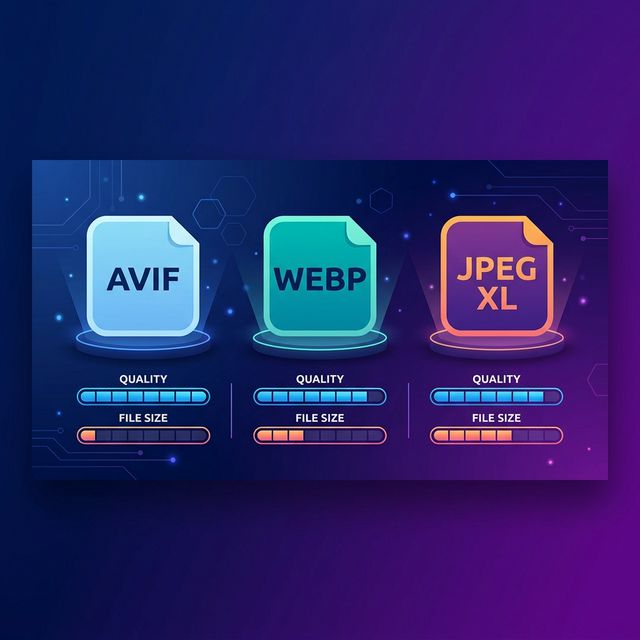
The image format landscape has shifted dramatically over the last few years. While JPEG and PNG still have their place, three modern contenders are fighting for the top spot on the web: AVIF, WEBP, and JPEG XL. Each comes with unique strengths and trade-offs, and the right choice depends entirely on your specific project goals.
This guide cuts through the technical jargon to give you a practical breakdown of how these formats perform in 2026, where they shine, and how to pick the winner for your website.
WEBP: The Reliable Standard
Released by Google, WEBP is now supported by every major browser without exception. That universal compatibility is its greatest asset. If you want one modern format that 'just works' everywhere, WEBP is your answer.
The Big Advantage
WEBP files are typically 25% to 35% smaller than JPEGs at the same visual quality. For transparent PNG alternatives, the savings are often even higher.
Best Use Cases
Product images, blog photos, and UI screenshots. It handles both lossy and lossless compression while supporting full transparency.
AVIF: The Compression King
Derived from the AV1 video codec, AVIF delivers the best compression ratios available today. At comparable quality, AVIF files are often 50% smaller than JPEGs and significantly lighter than WEBP. For bandwidth-heavy sites, this is a massive win.
Current Support
Chrome, Firefox, Edge, and Safari all support AVIF. While some legacy enterprise environments might lag behind, it is safe for the vast majority of public web audiences.
The Trade-off
Encoding AVIF is much slower than WEBP. If you are processing thousands of images at once, the conversion time is a real factor to consider.
JPEG XL: The Next Frontier
JPEG XL was designed as a complete replacement for the original JPEG. It’s ambitious: supporting photography and graphics equally well with features like progressive decoding. However, browser adoption has been a rollercoaster. While Safari supports it, Chrome’s native support remains experimental.
2026 Recommendation: Use WEBP as your reliable default. Serve AVIF where bandwidth savings are critical and your audience uses modern browsers. Keep an eye on JPEG XL, but wait for broader Chrome support before making it your primary choice.
How to Convert to Modern Formats
Ready to speed up your site? The FlowFix Image Converter allows you to switch JPG and PNG files to WEBP instantly. Since everything happens in your browser, your files are never uploaded to a server, keeping your data private.
Select Your File: Drag any JPG or PNG into the converter.
Choose WEBP: Select the output format and let the browser process the conversion.
Download: Grab your optimized file and enjoy the immediate boost in page load speed.
Frequently Asked Questions
Is AVIF always better than WEBP?
Technically, AVIF offers better compression, but WEBP is the 'safe' play for total browser compatibility. For most users, the difference between a 30% saving (WEBP) and a 45% saving (AVIF) isn't as important as making sure the image actually shows up for everyone.
Should I delete all my JPEGs?
Not quite yet. JPEGs are still the perfect 'fallback' format. Many modern websites serve WEBP to new browsers while keeping the original JPEG as a backup for older devices. This 'best of both worlds' approach ensures no one sees a broken image icon.
Switch to Modern Formats for Free
No sign-ups, no watermarks, and no privacy risks. Convert your heavy images to WEBP in seconds right in your browser. Try FlowFix Image Converter.
Conclusion
In 2026, the era of relying solely on JPEGs is over. WEBP is your reliable workhorse, AVIF is your high-performance tool for cutting-edge sites, and JPEG XL remains an exciting prospect for the future. By moving your heaviest assets to WEBP today, you’ll see an immediate, measurable improvement in your site’s performance.